
jonamiki.com
Top categories
Latest posts
Mount encrypted QNAP disk (crypto_LUKS) on an external computer
If one attempts to mount a QNAP disk encrypted with LUKS without unlocking it first, the following error will be shown: mount: unknown filesystem type ‘crypto_LUKS’ To mount and read data from a d...
Stopping X windows / dropping to single-user mode
Installing the NVIDIA driver on Linux requires dropping to a command prompt without X windows running in the background. Switch to root user: su – Password: Stop the window manager: /etc/init.d/gd...
Speaker at Tokyo Big Sight today :-)

Connect ISO File to Server Using RACADM
Mounting ISO Files with RACADM Introduction When using VNC to connect to a Dell server’s iDRAC, you lose the ability to map ISO files that’s available in the Java-based viewer. Fortunately, RACAD...
Power Control of VMs on ESXi Using a Script on the Command Line
Automating VM Power Control on ESXi via Command Line Automating virtual machine power operations via the command line can be extremely useful, especially when managing large environments with tens...
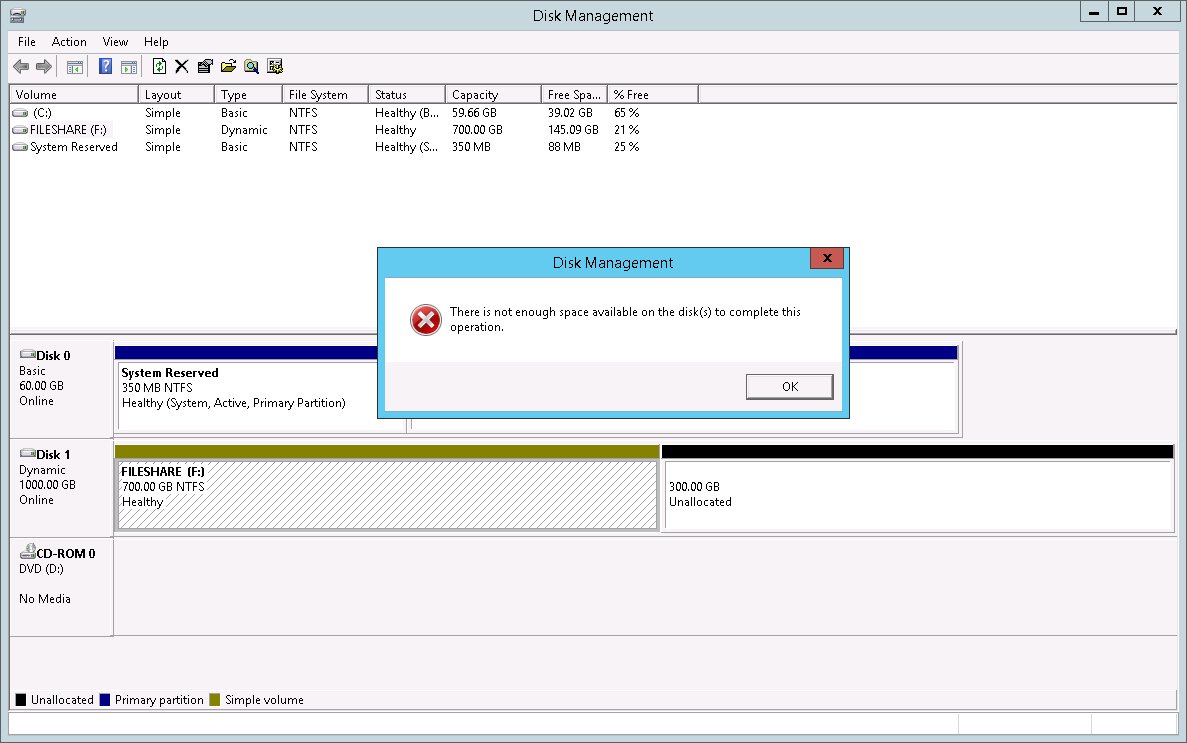
Windows 2012R2 - Extend Disk: "There is not enough space available on the disk(s) to complete this operation."
Resolving Disk Extension Issues in Windows Server 2012 R2 The Problem When trying to extend a disk volume in Windows Server 2012 R2 after increasing the disk size in VMware, you might encounter t...
How to SSH Using a Public Key Instead of Password
Setting Up SSH Key Authentication When accessing remote systems using SSH, using RSA keys instead of passwords offers both convenience and security benefits. This approach is especially useful for...
View, Create, Delete Virtual RAID Volumes with RACADM on an FC630 Server (Dell 13G)
Managing RAID Volumes with RACADM on Dell PowerEdge FC630 This guide demonstrates how to manage RAID volumes on Dell PowerEdge FC630 servers (13th generation) using RACADM commands directly throug...
View, Create, Delete Virtual RAID Volumes with RACADM on an R720 Server (Dell 12G)
Managing RAID Volumes with RACADM on Dell PowerEdge R720 Background When working with Dell servers that have iDRAC Express licenses (which lack remote console capabilities), you can’t use the sta...